
Your whole construction company, in one app.
BuildCrew Manager puts your quotes, projects and finances in one place — quotes priced from your own price table, stages and deadlines under control, and the margin of every project always clear. No spreadsheets, no group-chat chaos.
Free 20-day trial · No credit card · Works on any phone or computer
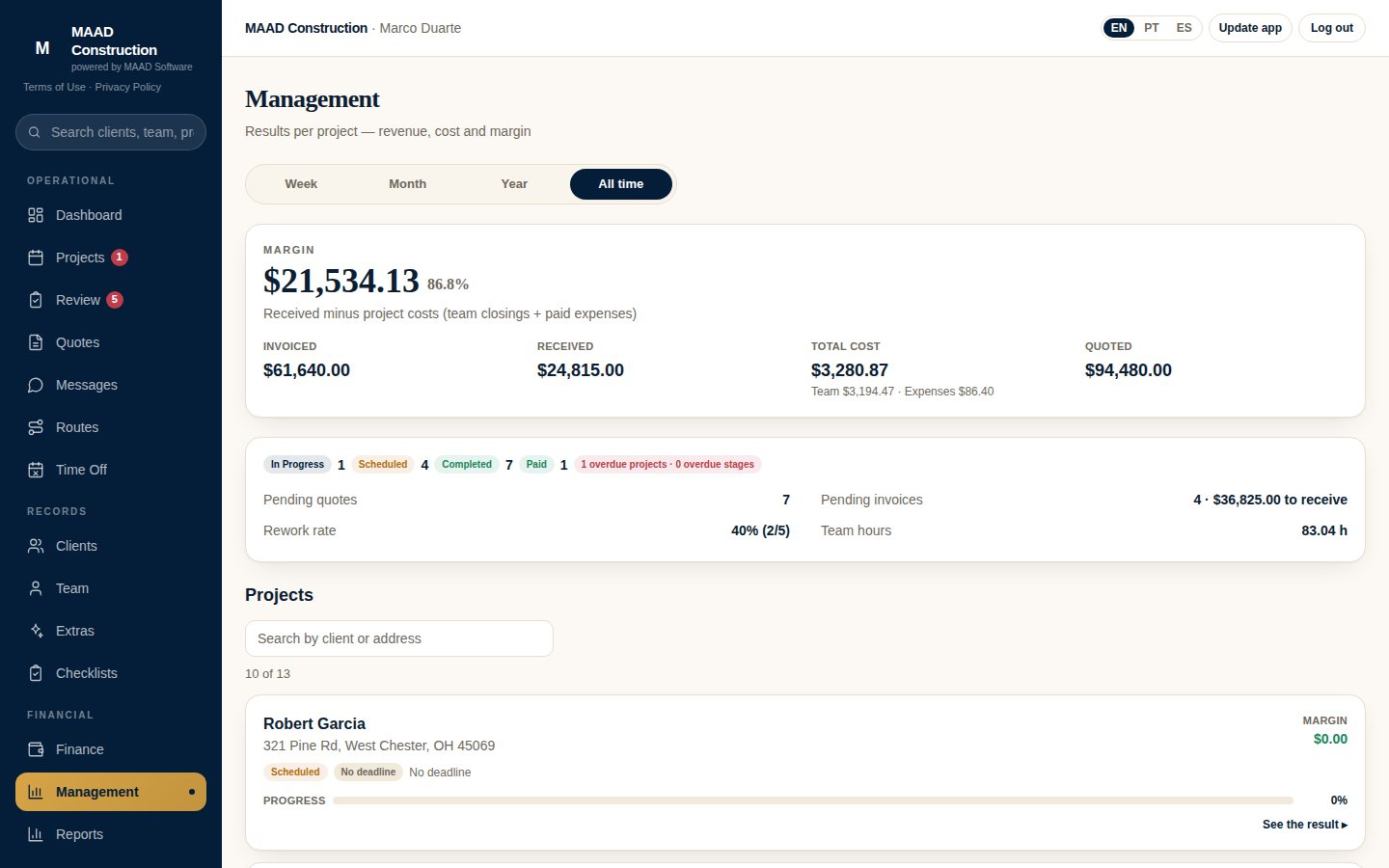
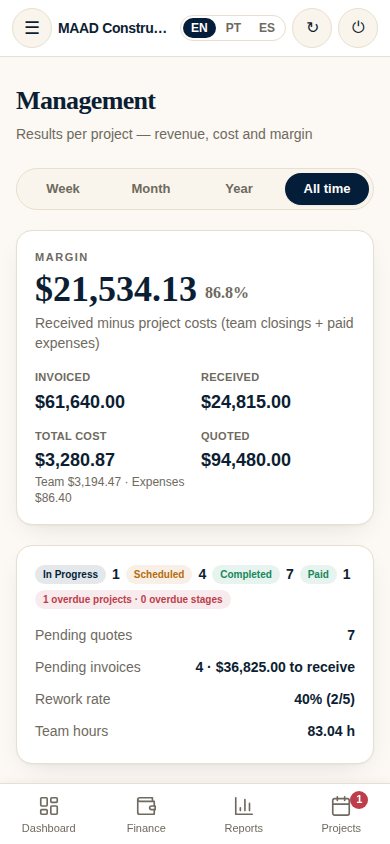
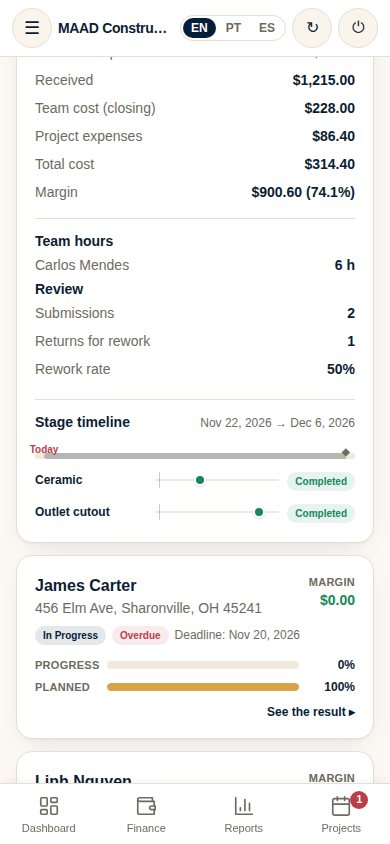
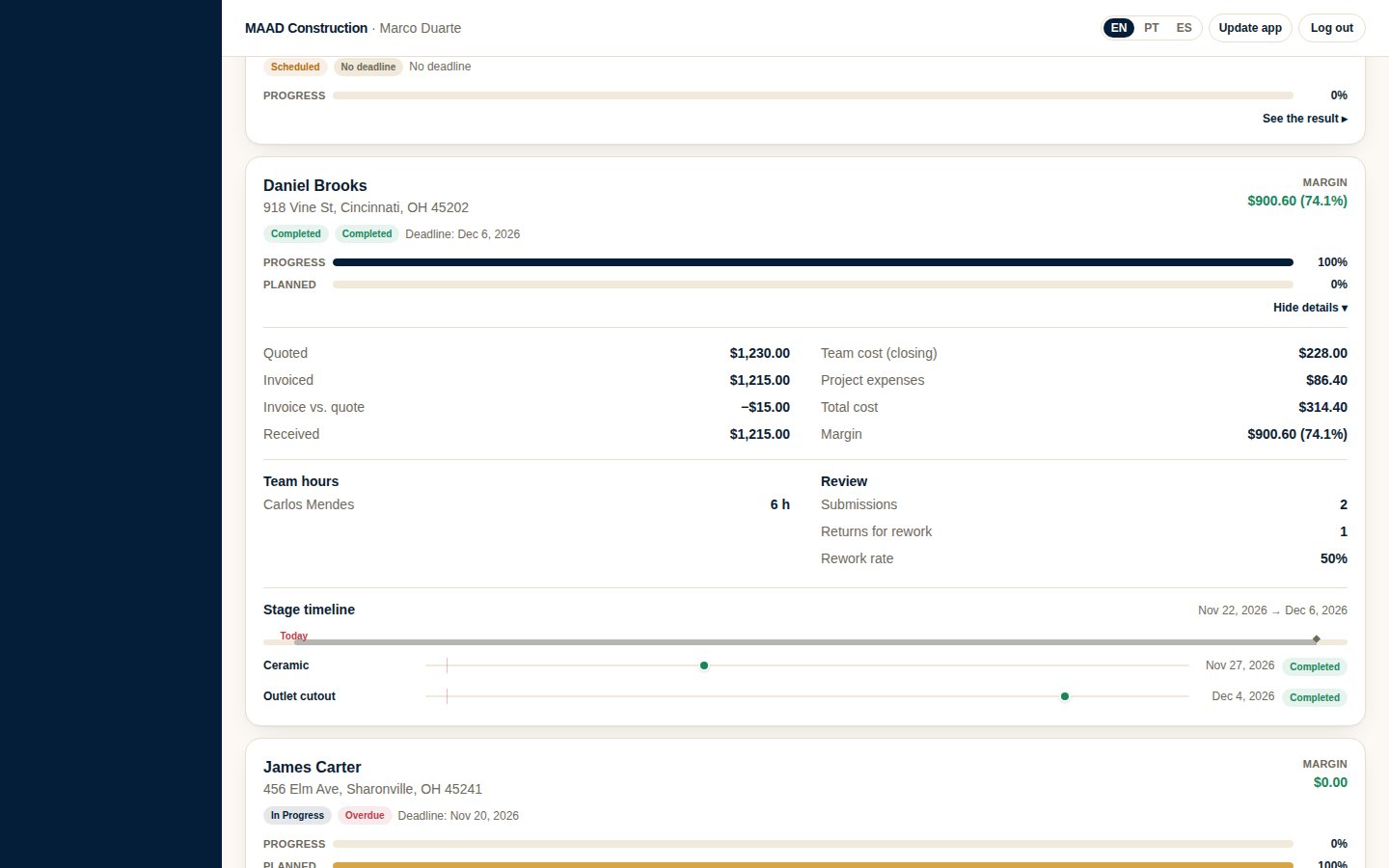
The management view in the center — margin per project at a glance, with the same numbers on your phone. Screens from a fictional demo company.
Why BuildCrew
Three pillars, one app: quotes, projects and money
Built for small and medium construction companies — not a generic job app adapted for builders. Three promises, kept every day:
Quotes priced from your own table
Template calculators for drywall, painting, backsplash and baseboard price every job from your price table — never from someone else's averages. Minimum service fee built in, client-ready PDF in one tap.
Projects under control
Every approved quote becomes a project with stages and deadlines. Progress vs. planned is always visible, supervisors review finished work, and overdue stages flag themselves before they become a problem.
The money of each project, clear
Invoices from approved work, partial payments, team pay by the hour or by the day — and the margin of every project on a cash basis: what came in minus what the project actually cost.
Free for 20 days · No credit card required
How it works
One app, three roles
Everyone opens the same app and sees exactly their part — and clients don't need an app at all.
Owner
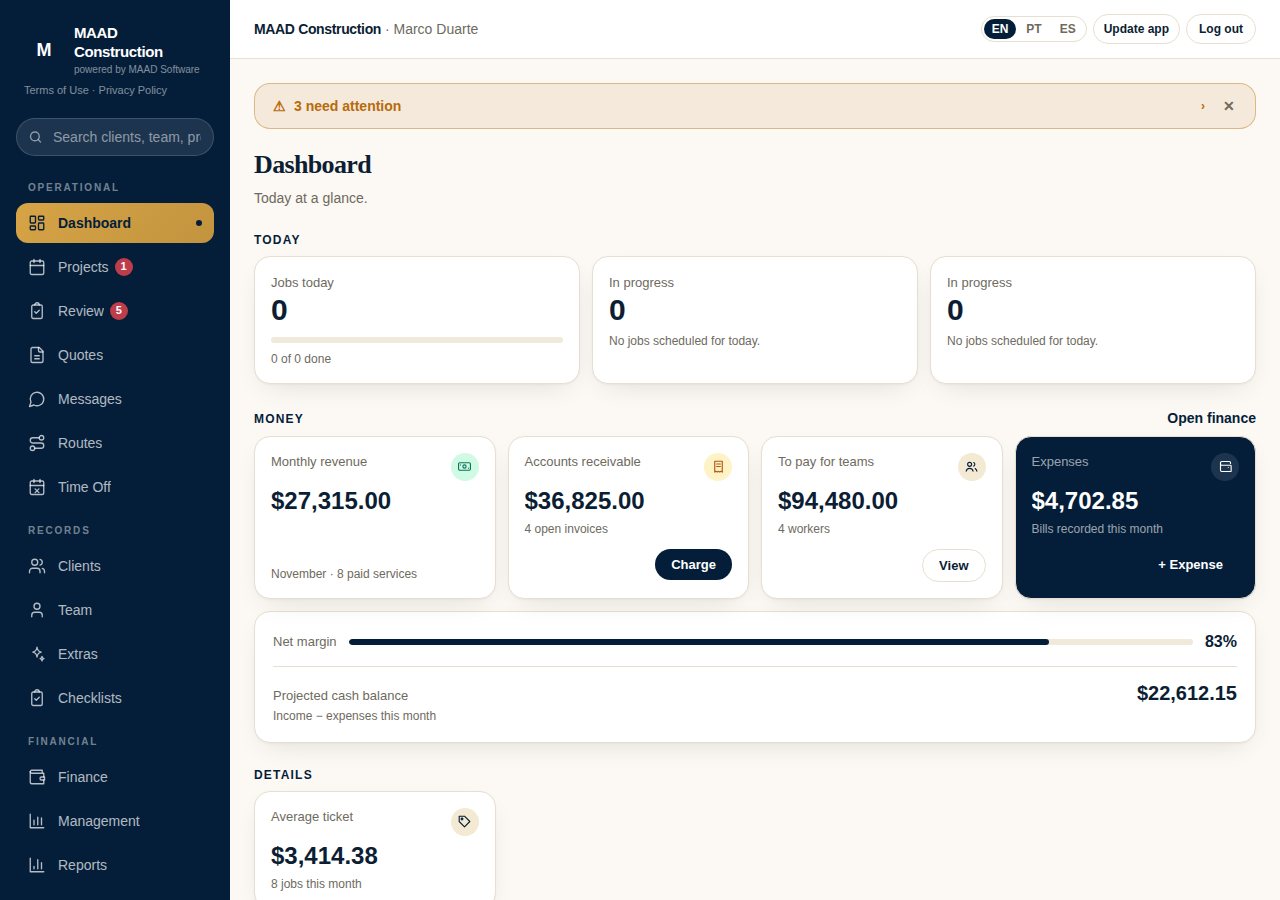
Dashboard, quotes, projects, finances and the management view. You see every number in the company — including the margin of each project.
Supervisor
Runs the operation — projects, stages and the crew's queue — and reviews finished work: approve it, or return it for rework with the reason written down. No access to the owner's financials.
Crew
Each worker sees their own queue, clocks in and out, and follows their own pay — by the hour or by the day. Never the price charged to the client.
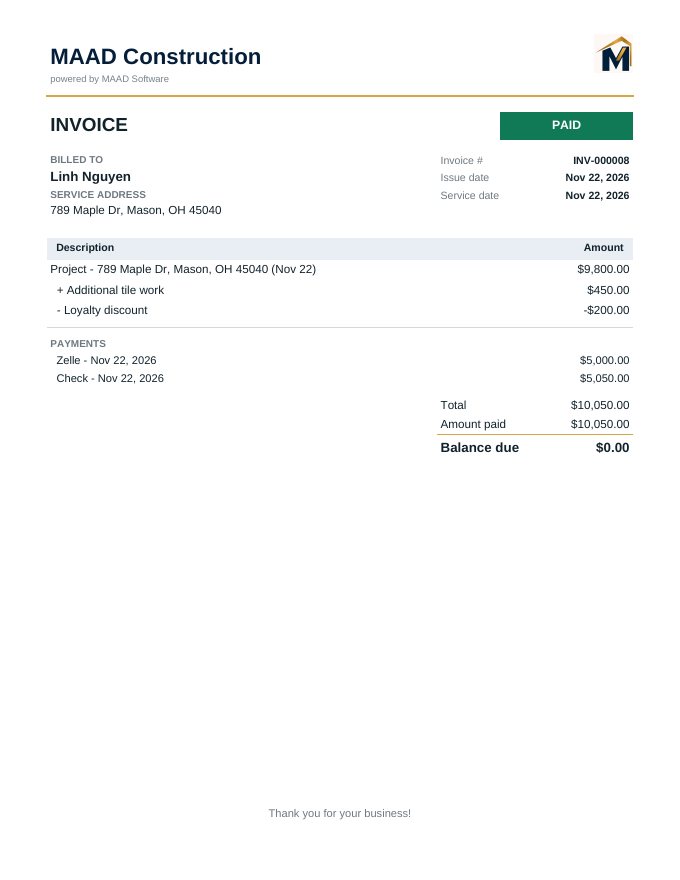
Clients are records, not users: they receive polished PDF quotes and invoices — no extra app for them to learn. Explore the features in depth →
The old way vs. the BuildCrew way
Notebooks & group chats vs BuildCrew
Same work — two very different weeks.
Notebooks, spreadsheets & group chats
The way most small construction companies still run today.
- Quotes figured on paper, priced from memory
- Nobody knows a job's real cost until it's over
- “Who already paid?” answered from chat threads
- Crew pay worked out by hand, week after week
- Rework argued from memory — nothing written down
- Deadlines living only in the owner's head
- Finished work waiting days to become an invoice
With BuildCrew Manager
One app for the owner, the supervisors and the crew.
- Calculators price every quote from your own price table
- Project cost builds itself: team pay + expenses, per project
- Receivables show who paid, who hasn't, who paid partially
- Pay closing by the hour (overtime included) or by the day
- Returns for rework carry a written reason — and a rework rate
- Stages and deadlines with progress vs. planned, overdue in red
- Approved work becomes an invoice the same day, extras and discounts included
Features
Everything a construction company needs
The complete feature set of our construction management software:
Quote calculators
Drywall, painting, backsplash and baseboard/trim templates that price from your table, with a minimum service fee and a PDF your client can sign off on.
Projects & stages
Deadlines per project and per stage, progress vs. planned, and overdue work flagged in red before it slips.
Supervisor review
Crew completions wait for review: approve, or return for rework with the reason recorded. The owner can always step in.
Invoices & receivables
Invoices generated from approved work, with extras and discounts at generation. Partial payments keep a visible balance.
Team pay closing
By the hour — with overtime at 1.5× over 40 hours a week — or by the day worked. Each person's rate is theirs; the closing posts the cost to the projects.
Management & margin
Margin per project on a cash basis, quoted vs. actual, delays and rework — charts that answer “which jobs make money?”
Your price table
Your prices — not market averages
Software shouldn't tell a contractor what to charge. You keep one price table — your rates for labor and materials — and every calculator in BuildCrew Manager prices from it. Change a rate once, and every new quote uses it.
- Templates for drywall, painting, backsplash and baseboard/trim
- Minimum service fee, set by you
- Client-ready PDF quotes and invoices, with your company's brand
FAQ
Quick answers
Is there a free trial?
Yes — a free 20-day trial with full access and no credit card. Read all frequently asked questions.
Do my clients get an app?
No — on purpose. Clients stay as records in your company; they receive professional PDF quotes and invoices, and you keep full control of the relationship.
Do I need to download anything from an app store?
No — BuildCrew Manager is a web app you add to your home screen. See how to install it below.